
Table of contents
Seventh (Cinema App)
Seventh is a cinema screening time app built for french movie theaters.
Introduction
Movies and shows tracking
I watch more and more movies. I have a movie theater subscription and watch movies and shows at home regularly. I had the idea to start tracking the movies and series that I watch around the time that TV Time announced that they were closing and I have been on the search for an alternative.
Like everybody, I looked on the internet for an alternative but nothing satisfied me :
- Letterboxd was popular but only allowed movies and I don’t really care about reviews, I only want to track what I watched and when.
- Trakt was a solid alternative but a lot of the functionalities are locked behind a subscription even just search filters to find the right movie. This was a big issue and enhanced by the fact that I was not able to find a (french) movie that I just watched in theater. If i cannot find all the movies that I watch, it’s pointless.
When I searched those 2 looked to be the most popular options and none of them really fitted what I was looking for.
I also had another movie related “issue” that I wanted to solve.
Movie theater screening times
Where I live and with my theater subscription, I can go for “free” to multiple theaters. They are all really close to where I live so I really don’t have a preference so I just look for a movie that I want to watch and what screening time works best for me.
This was originally possible with Allociné. I had a list of favorite theaters and could look the movies in all the theaters in one place. This was working great until they decided to change the website and removed this feature (at least I was not able to find it again).
For this I actually found a good alternative : Bobine. The website works great and replaces well the Allociné features that I was lacking but I would have preferred some different choices in the interface like being able to see all screening times for the day.
I was quite frustrated then remembered that I could just solve my problems by building the app with all these features.
Original Plan
The goal was to make the simplest app with all the features I wanted :
- Add movies to a “watched” list
- Add shows to a “watched” list with per episode selection.
- Consult screening times for the theaters that I select.
Building this app I also thought that I might forget to write a movie or episode as watched and that it would defeat the purpose but I could avoid this with 2 features :
- All the movies and shows that I watch from home are on my Jellyfin server, so I can just add a sync feature so that when I open the app it fetches the new watched movies directly from my server.
- Because I will decide what time I will go see a movie in the theater, I can just make the app remind me to rate it after the movie ends by sending a push notification.
Building it
I started building the app with React Native because I wanted a mobile app and a web version. I also already had experience building app with it in the past. The whole app was revolving around 3 main data APIs :
- TMDB Api to get movies and shows.
- Allociné to get movie theaters screening times.
- Wikidata to tie it all together.
It was working great and I had a first version where I was able to create an account, list movies and shows I watched, rate them and leave a comment (no social feature just for myself) and it was automatically importing new movies watched from Jellyfin.
But then, when doing more research on episode order for anime especially, I discovered Movie Paradise.
Movie Paradise app
It is all I wanted my app to be and more, with a very clean UI, miles ahead of what I am capable of and supported all the features that I wanted and more. Although some of them are locked behind a paywall (like Jellyfin sync), it’s mainly there for free.
The pay system is also acceptable in my opinion with a subscription plan but also at the time of writing a one time lifetime subscription that is around 30€.
New plan
With half of features of the app not needed anymore, I decided to focus on the movie theater screening time. Since no database was needed to store user watch history I wanted to try to make a standalone app with no backend at all. After all, we only need to fetch Allociné to get screening times.
Allociné API
Turns out that there is no real Allociné public API anymore. However by inspecting the network requests done in the browser we can find the relevant request :
const url = `https://www.allocine.fr/_/showtimes/theater-${allocineCode}/d-${targetDate}/p-${page}/`This endpoint is what allows the entire app to work with targetDate being the date in YYYY-MM-DD format and page obviously being the page number for the request, we can just iterate until we get all results with a limit.
The last piece was the allocineCode parameter and this is where things get a little bit more complicated because this is a code that is only used by Allociné. There is no easily usable research enpoint that would allow to get this code from a string so I did a little digging and found this GitHub repository : lefevre-dev / AllocineAPI.
With this python livrary, I was able to scrape all the Allociné movie theaters and get their allocineCode (their id), name and address and organized it all in a json file in a structured manner :
{
    "id": "P1545",
    "name": "Pathé Amiens",
    "address": "3 Boulevard de Belfort 80000 Amiens",
    "department": "Somme",
    "department_id": "departement-83180",
    "postal_code": "80000",
    "city": "Amiens",
    "brand": "Pathé",
    "search_text": "pathe amiens 80000 somme"
}
This totaled to just around 1MB of data that I could just embed in the app to avoid doing unnecessary requests.
Wikidata API
Once we fetch the movies from Allociné, it’s useful to get other relevant data for the movie like TheMovieDataBase id. This allows us to create a link to TMDB directly which is a more universal movie data source.
With a single Wikidata request we can make this link and also retrieve the InternetMovieDatabase (IMDb) id for completion :
SELECT ?allocineId ?tmdb ?imdb WHERE {
    VALUES ?allocineId { ${values} }
    ?item wdt:P1265 ?allocineId.
    OPTIONAL { ?item wdt:P4947 ?tmdb. }
    OPTIONAL { ?item wdt:P345 ?imdb. }
}
Results
With those 2 data sources together, the app can be built.
Home Page
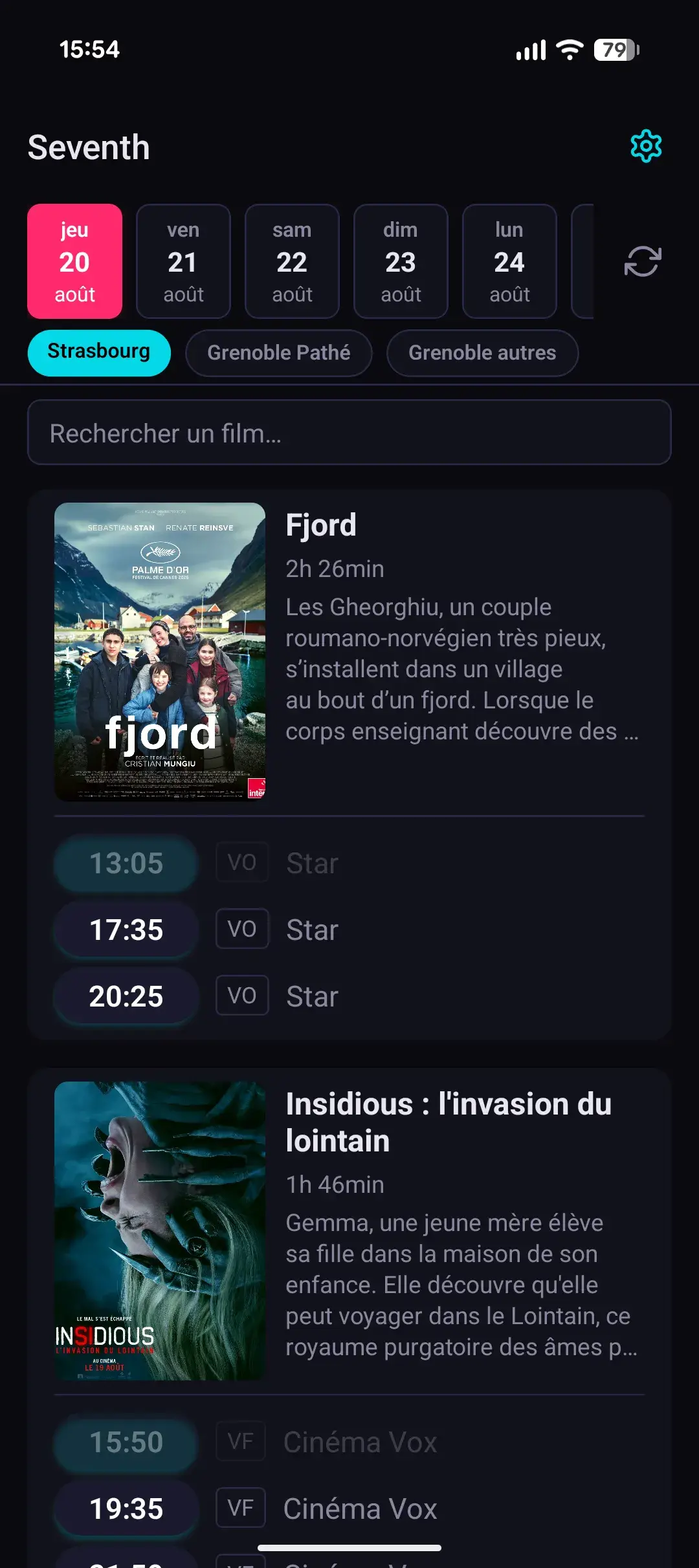
The Home Page allows the user to see the screening times in their selected movie theater list. They can select the date and list at the top and there is a fuzzy search search bar to quickly find a specific movie.
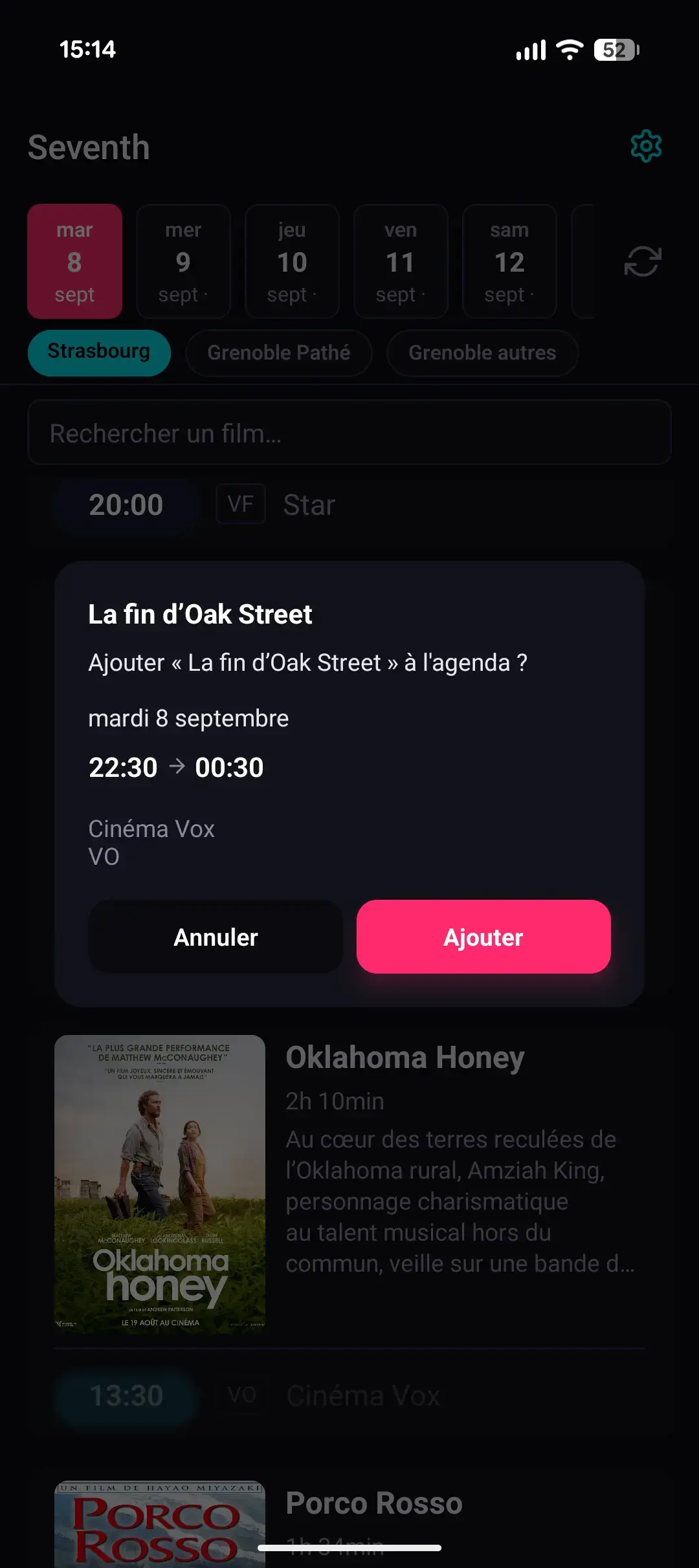
When the user clicks on a screening time, they get a popup to confirm the screening time and movie theater. If they confirm, the user is redirected to their agenda with a prefilled event.
After the event, the app sends a push notification to the user, inviting them to log and rate the movie in their tracking app of choice.
Settings
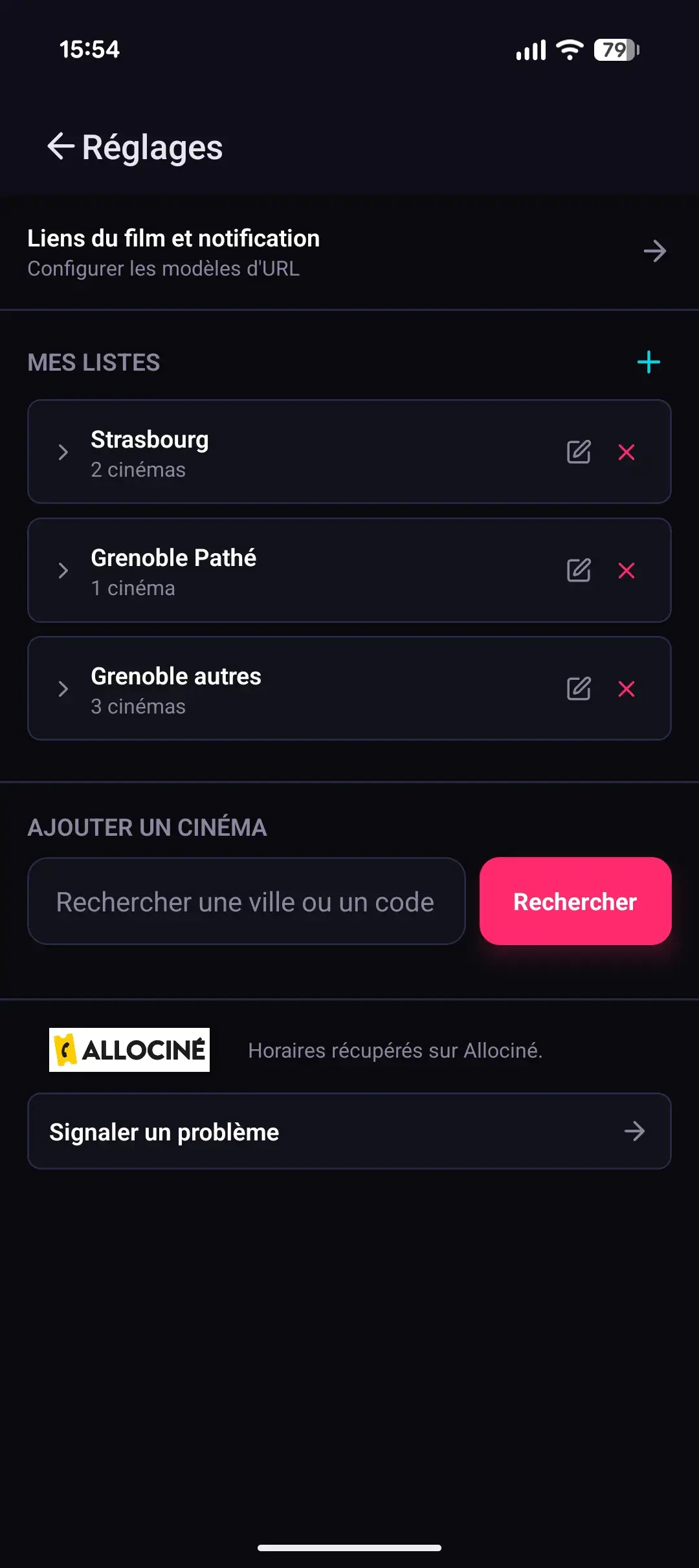
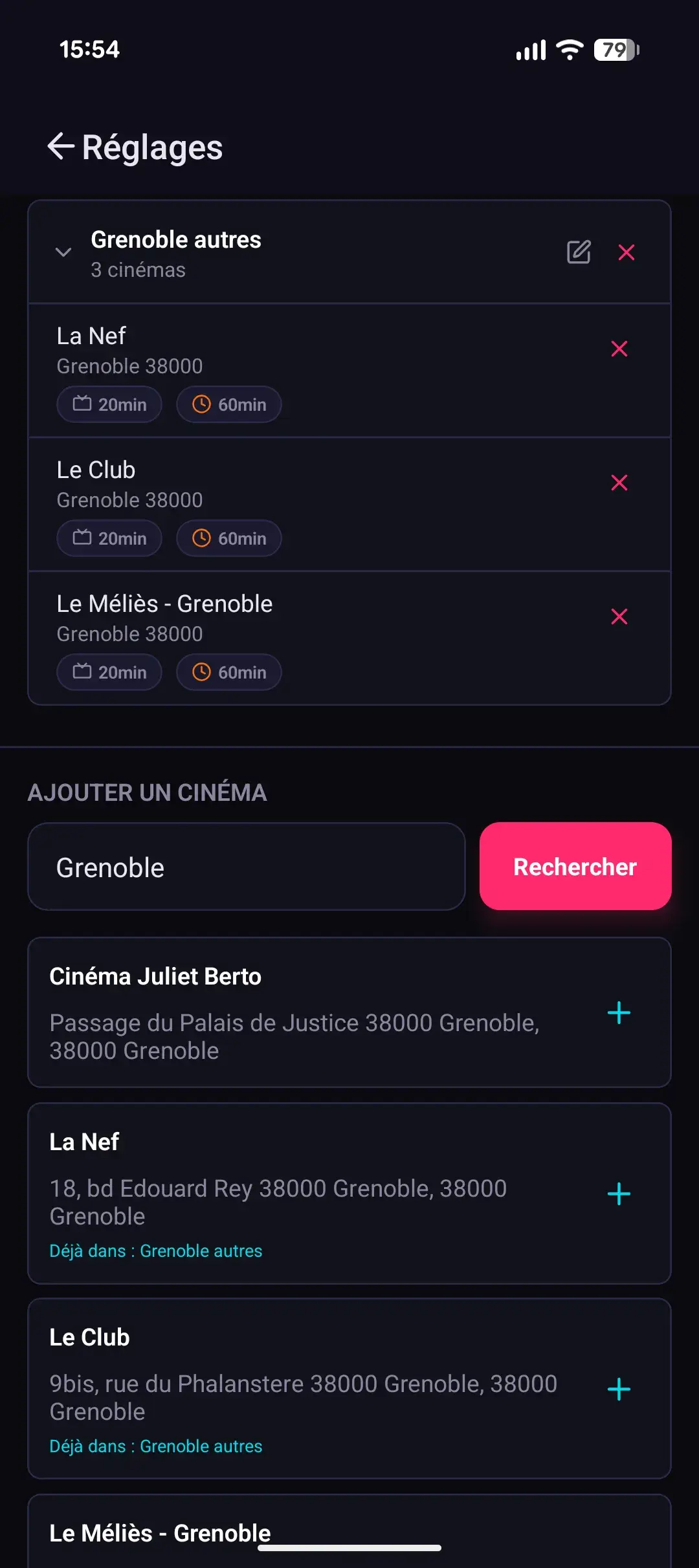
In the settings page, the user can manage their movie theater lists and edit the redirection links.
They can create multiple movie theater list, corresponding to different cities or other criteria and edit the estimated ad duration time before the movie starts (to better estimate the screening time end) and a warning time to add a label for when the movie is about to start.
Finally, they can customize 2 different links :
- The page where they are redirected when they click on the movie poster or synopsys.
- The page they are sent to when they click on the push notification at the end of the screening time.
Those URLs are customizable with placeholder using the previously fetched TMDB id, IMDb id or Allociné id.
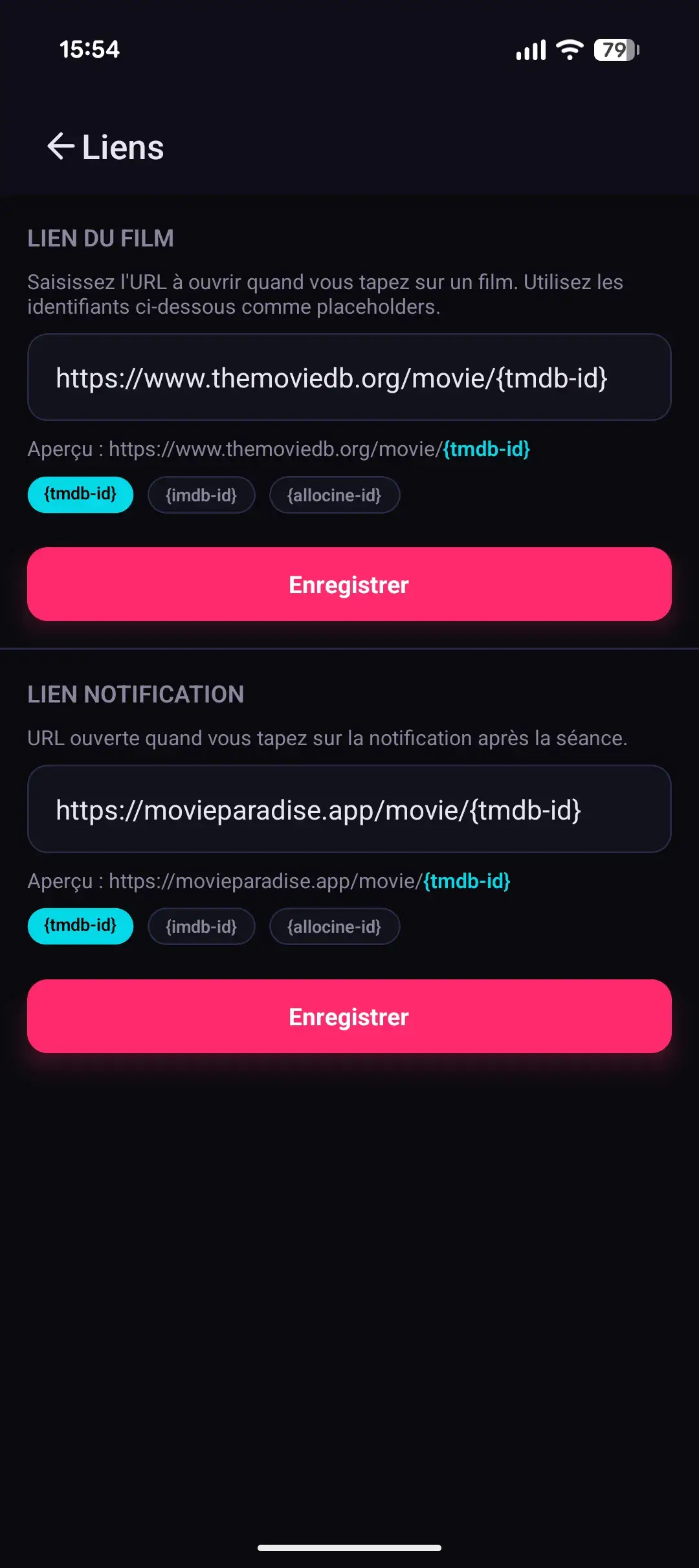
In this example, if the user click on the movie poster they are redirected to the corresponding movie on TMDB and if they click on the notification they are redirected to the corresponding one on Movie Paradise.
Conclusion
This app was a fun learning experience, that sometimes you should not try to reinvent the wheel and do more research before rushing in a new project. In the end, I am quite happy about the result and it fits my use case perfectly with a little bit of customization for other users.
It was also a learning opportunity because this was the first serious project that I worked on using the help of AI development tools : OpenCode in this case. I realized that even “free” models are quite powerful enough for a simple app like that this was a great opportunity to get a first hands down experience.